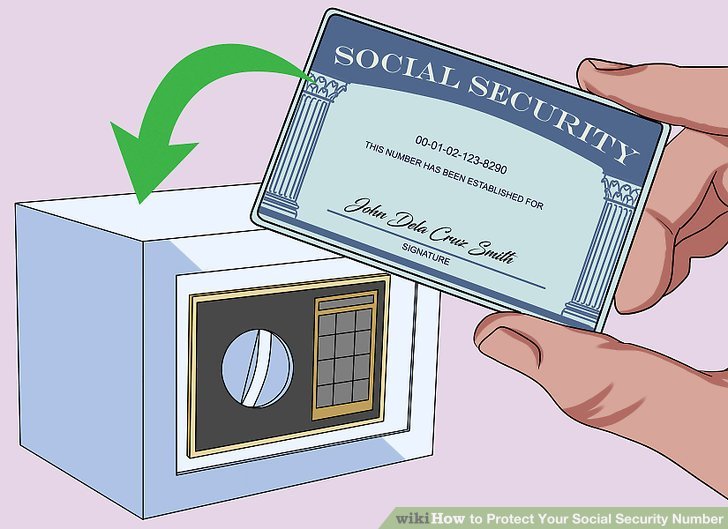
Your Social Security number (SSN) is arguably the single most critical piece of your personal identity. It's your digital fingerprint for employment, taxes, credit, and government benefits. But in an era of relentless data breaches and sophisticated scams, simply having an SSN makes you a target. The good news? You're not powerless. Protecting Your Social Security Number isn't just about hiding a physical card; it's about actively "locking it down" to prevent criminals from using it to hijack your financial life and even your employment future.
Think of it like securing your home. You wouldn't just lock the front door; you'd lock all windows, maybe add an alarm system, and even tell your neighbors to watch out for suspicious activity. Protecting your SSN requires a similar multi-layered approach, going beyond basic precautions to actively restrict its use by anyone, including potential fraudsters.
At a Glance: Key Steps to Lockdown Your SSN
- Contact the SSA: Call (800) 772-1213 to place an electronic access block on your Social Security records. This is your first line of defense against record modification.
- E-Verify Self Lock: Create an E-Verify account and enable the Self Lock option. This prevents employment-related identity theft by blocking your SSN from E-Verify checks.
- Freeze Your Credit: This is separate from SSN locking. Contact Equifax, Experian, and TransUnion individually to freeze your credit, preventing new accounts from being opened in your name.
- Proactive Measures: Don't carry your SSN card, shred sensitive documents, use strong passwords, and monitor your financial accounts regularly.
- If Compromised: Beyond locking, file reports with the FTC and IRS, and monitor your credit vigilantly.
Why Your SSN is the Crown Jewel for Identity Thieves
Before we dive into how to secure your SSN, let's quickly underscore why it's such a hot commodity for criminals. Your SSN is a unique identifier required for countless official processes. If a fraudster gets their hands on it, they can:
- Open New Credit Accounts: The most common form of identity theft, leading to maxed-out credit cards and loans in your name.
- File Fraudulent Tax Returns: Claiming refunds before you even file your own, causing significant headaches with the IRS.
- Get a Job in Your Name: This is known as employment identity theft, impacting your tax records and potentially future employment.
- Obtain Government Benefits: Applying for unemployment, disability, or other benefits under your identity.
- Access Medical Services: Leading to medical identity theft, where your insurance is used for treatments you never received.
In essence, a compromised SSN grants criminals a master key to your personal and financial existence. The goal of locking it down is to render that key useless.
The Lockdown Strategy: More Than Just a "Freeze"
When people talk about "freezing their Social Security number," they're often conflating two distinct, yet complementary, security measures:
- Blocking electronic access to your Social Security records (SSN Lock): This directly involves the Social Security Administration (SSA) and the E-Verify system. It prevents anyone from viewing or modifying your SSN records or using your SSN for employment verification.
- Freezing your credit (Credit Freeze): This involves the three major credit bureaus (Equifax, Experian, TransUnion) and prevents new credit accounts from being opened in your name.
Both are vital, but they protect against different types of fraud. Let's break down how to implement each.
Step 1: Blocking Electronic Access with the SSA
This is the foundational step for directly "locking" your SSN. When you request a block on electronic access, you're telling the SSA to essentially put a padlock on your Social Security records.
How to Block Electronic Access to Your SSN Records
The process is straightforward but requires a phone call:
- Call the SSA: Dial (800) 772-1213. This is the official number for the Social Security Administration. Be prepared for potentially long wait times, as this is a common request, especially after major data breaches.
- Request a Block: Inform the representative that you wish to place a block on electronic access to your Social Security records.
- Verify Your Identity: You will need to provide proof of identity. The SSA representative will guide you through what information is required. This is a crucial security step to ensure you are truly the account holder.
Once this block is in place, neither you nor anyone else can view or modify your Social Security records electronically. This significantly hinders fraudsters from making changes to your profile or applying for certain government benefits in your name.
When to Consider an SSA Electronic Access Block
The SSA specifically recommends this step if:
- Your SSN information has been compromised (e.g., your Social Security card was lost or stolen).
- You notice unfamiliar credit accounts appearing on your reports that you didn't open.
- You receive IRS notices about unfiled taxes, indicating someone might be using your SSN for employment or tax fraud.
Benefits of an SSA Electronic Access Block
- Prevents Record Modification: Makes it much harder for criminals to change your personal details within SSA records.
- Stronger Against Benefits Fraud: Offers robust protection against someone fraudulently applying for government benefits using your SSN.
- Peace of Mind: Knowing your core SSN data is locked down provides a significant layer of security.
Drawbacks to Consider
- Your Own Access Limitations: While the block is active, you also won't be able to view or modify your Social Security records electronically.
- Delays for Services: If you need to apply for new government benefits, access your records, or make changes, you'll first need to unlock the block, which can cause delays.
Step 2: Self Lock with E-Verify for Employment Protection
Beyond the SSA's electronic access block, you'll want to address employment-related identity theft directly. This is where the E-Verify Self Lock comes in. E-Verify is a system used by employers to confirm the eligibility of their employees to work in the United States. A Self Lock prevents your SSN from appearing in these searches.
How to Apply a Self Lock with E-Verify
- Create an E-Verify Account: Visit the official E-Verify website (e-verify.gov) and create a "myE-Verify" account.
- Select the Self Lock Option: Once logged in, navigate to the "Self Lock" feature.
- Set Security Questions: You'll be prompted to set up security questions, which you'll use to manage your lock in the future.
- Confirm the Lock: Follow the on-screen instructions to confirm and activate the Self Lock.
Why This Matters
This specific lock protects you from a form of identity theft where criminals use your SSN to obtain employment. If your SSN is locked with E-Verify, any employer attempting to verify your employment eligibility using that SSN will receive an alert that the number is locked, preventing the fraudulent employment from proceeding.
Benefits of the E-Verify Self Lock
- Prevents Employment Identity Theft: Directly stops criminals from using your SSN to gain employment.
- Secures Your Work History: Protects your legitimate employment record from being corrupted by fraudulent entries.
Drawbacks to Consider
- Impact on New Jobs: If you apply for a new job that uses E-Verify (many do, especially federal contractors), you will need to temporarily remove the Self Lock for the verification process to go through. Remember to reapply it afterward.
- Manual Management: You're responsible for removing and reapplying the lock as needed.
Beyond the SSN Lock: Freezing Your Credit
While locking your SSN with the SSA and E-Verify is crucial, it won't stop fraudsters from opening new credit accounts in your name. For that, you need to turn to the credit bureaus and lock or freeze your credit. This is a separate, but equally vital, step in securing your identity.
Credit Freeze vs. Credit Lock: What's the Difference?
- Credit Freeze: This is a free service mandated by federal law. It restricts access to your credit report, meaning lenders cannot view it. If a new credit application comes in under your name, and a credit check is required, it will be denied because the report is frozen. You manually "thaw" or "lift" the freeze when you genuinely need new credit, and then re-freeze it.
- Credit Lock: Similar to a freeze, but typically offered as a feature within an identity protection service or directly by credit bureaus (sometimes for a fee or requiring an account). It often provides instant lock/unlock capabilities via a mobile app, offering more convenience. While a credit lock can be more user-friendly, a credit freeze provides the same core protection and is guaranteed to be free.
For maximum, free protection, a credit freeze is generally recommended.
How to Freeze Your Credit (Crucial Step!)
To freeze your credit, you must contact each of the three major credit reporting agencies individually. There is no single master switch.
- Equifax:
- Phone: (800) 378-4329
- Website: Visit their official website for credit freeze options.
- Experian:
- Phone: (888) 397-3742
- Website: Visit their official website for credit freeze options.
- TransUnion:
- Phone: (800) 916-8800
- Website: Visit their official website for credit freeze options.
When you initiate a freeze, each bureau will provide you with a PIN or a process to manage your freeze. Keep this information safe! You'll need it to temporarily lift or permanently remove the freeze in the future.
Benefits of a Credit Freeze
- Stops New Account Fraud: The most effective way to prevent identity thieves from opening new credit cards, loans, or mortgages in your name.
- Free Protection: By law, credit freezes are free to place and lift.
- Empowering Control: You decide when your credit report is accessible.
Drawbacks to Consider
- Manual Management: You must remember to temporarily lift the freeze with each bureau whenever you apply for new credit (e.g., a new credit card, a car loan, or a mortgage). Failure to do so will result in your application being denied.
- Not a Universal Solution: A credit freeze won't prevent existing accounts from being compromised, nor will it stop employment or government benefits fraud—that's what the SSN locks are for.
When Should You Lock Your SSN and Freeze Your Credit?
Deciding whether to take these steps often comes down to a proactive versus reactive approach.
Proactive Protection (Highly Recommended)
You should consider locking your SSN and freezing your credit even if:
- You haven't been compromised (yet): It's the ultimate "ounce of prevention is worth a pound of cure."
- You don't plan to open new financial accounts or apply for loans soon: If your life circumstances allow, keeping everything locked down provides an excellent baseline of security.
- You are diligent about security: It complements strong passwords and careful sharing habits.
Reactive Protection (Absolutely Necessary if Compromised)
These actions become critical if your personal information has been compromised, such as through:
- A data breach: Companies you've done business with announce their systems were hacked.
- A stolen wallet or purse: Your physical SSN card, driver's license, or other sensitive documents are lost.
- Missing mail: Bills, financial statements, or other documents containing PII are not arriving.
- Suspicious account activity: Unfamiliar transactions on your bank statements or credit card bills.
- A phishing scam: You clicked a suspicious link or unknowingly provided sensitive information.
- IRS notices about unfiled taxes: A clear sign someone might be using your SSN.
The only significant consideration is if you do plan to open new financial accounts, apply for loans, or start a new job soon. In these cases, you'll need to temporarily unlock/unfreeze, which can cause minor delays. For example, if you're trying to quickly generate SSN numbers for testing or development purposes, this won't be directly affected by a lock, but your personal SSN will be protected during real-world verification processes.
Unlocking Your SSN and Unfreezing Your Credit
These protective measures are not permanent. You can reverse them at any time.
To Unlock Your Social Security Number:
- SSA Electronic Access Block: Call the SSA at (800) 772-1213 again. You'll need to provide proof of identity to have the electronic access block removed.
- E-Verify Self Lock: Log in to your myE-Verify account and follow the steps to remove the Self Lock feature.
To Unfreeze Your Credit:
- Contact each credit bureau (Equifax, Experian, TransUnion) using the same phone numbers or websites you used to freeze your credit. You will need the PIN or access credentials they provided when you initiated the freeze. You can typically choose to temporarily lift the freeze for a specific period or remove it entirely.
Remember, unlocking or unfreezing may cause minor delays while services re-verify your identity or access your reports. Plan accordingly if you know you'll need these services.
If Your SSN is Compromised: Immediate Next Steps (Beyond Locking)
Locking your SSN and freezing your credit are crucial, but they're part of a larger strategy if your identity has already been breached. Here's what else you should do:
- Monitor Your Credit Relentlessly: Obtain free weekly credit reports from AnnualCreditReport.com. Scrutinize them for any unfamiliar accounts or inquiries. Consider a credit monitoring service for automatic alerts.
- Contact Creditors and Banks: Inform your financial institutions about the identity theft. They can flag your accounts, issue new cards, and advise on next steps.
- Get an IP PIN from the IRS: Request a six-digit Identity Protection PIN (IP PIN) from the IRS online. This prevents fraudsters from filing a fraudulent tax return in your name. You'll use this PIN when you file your own taxes.
- File an Identity Theft Report with the FTC: Visit IdentityTheft.gov to file an official report with the Federal Trade Commission (FTC). This report is a powerful document that can help you dispute fraudulent charges, remove inaccurate information from your credit report, and create an identity theft recovery plan.
- Use Identity Theft Protection Services: Services like LifeLock or Aura can provide automatic alerts for SSN misuse, monitor dark web activity, and offer recovery assistance. While these often come with a fee, they can offer peace of mind and expert support.
- Consider a New SSN (Last Resort): If problems persist after extensive efforts to clear your name, and you can prove severe hardship due to the misuse of your SSN, you may be able to request a new SSN by contacting your local SSA office. This is a rare and difficult process.
Proactive Habits for Fortified SSN Security
Prevention is always better than cure. Integrate these habits into your daily life to minimize your risk:
- Leave Your Social Security Card at Home: Do not carry your physical SSN card in your wallet or purse unless it's absolutely essential (e.g., for a new job or specific government services). Keep it in a secure, locked place.
- Store Sensitive Documents Safely: Your SSN card, birth certificate, passports, and other vital documents should be stored in a fireproof safe or a secure bank safety deposit box.
- Be Skeptical When Sharing Your SSN: Always ask why your SSN is required and if alternatives exist. Many organizations can use other identifiers. If you must share it, ensure the request is legitimate and the platform is secure.
- Beware of Scams: The SSA, IRS, and legitimate banks will never call, text, or email you out of the blue asking for your SSN or other sensitive information. Always verify requests directly with the organization using official contact information.
- Strengthen Your Passwords: Use long, complex, unique passwords for all your online accounts. Never use your SSN or its last four digits as a password or PIN. Consider a password manager.
- Shred Sensitive Documents: Before discarding any documents containing your SSN, account numbers, or other personally identifiable information, shred them thoroughly.
- Exercise Caution Online: Avoid transmitting your SSN on unsecured websites or public Wi-Fi networks. Use a Virtual Private Network (VPN) for extra protection when browsing on public networks.
- Keep an Eye on Your Accounts: Set up alerts for unusual activity on your bank and credit card accounts. Regularly review your statements.
- Leverage Free Credit Reports: Annually (or even weekly during heightened risk) check your credit reports from Equifax, Experian, and TransUnion via AnnualCreditReport.com. This is the most effective way to spot fraudulent accounts.
Understanding Identity Theft: Signs and Consequences
Knowing what to look for can be the first step in mitigating damage.
Common Signs of Identity Theft:
- Suspicious activity on your credit reports: Accounts you didn't open, inquiries you didn't authorize.
- Unfamiliar transactions on bank statements or credit card bills.
- Bills for services or products you didn't receive.
- Debt collection calls for debts that aren't yours.
- Missing mail or unexpected changes of address for your accounts.
- Getting denied credit for reasons you don't understand.
- Alerts from credit monitoring or identity theft protection services.
- Unexpected tax notices or IRS communications about unfiled returns.
Consequences of a Stolen SSN:
The ramifications can be severe and far-reaching:
- Financial Ruin: Draining bank accounts, maxing out credit cards, taking out loans in your name.
- Credit Damage: A tarnished credit score, making it difficult to obtain future loans, housing, or even employment.
- Employment Issues: Fraudulent employment can mess with your tax records, make you ineligible for unemployment, or even impact background checks.
- Legal Troubles: If your SSN is used in criminal activities, you could find yourself entangled in legal battles.
- Emotional Distress: The time, effort, and anxiety involved in recovering from identity theft are often underestimated.
Frequently Asked Questions
Can I apply an E-Verify Self Lock online, or do I need to call?
Yes, you can apply an E-Verify Self Lock online by creating an account on the myE-Verify website. However, blocking electronic access with the SSA for your records requires a phone call to (800) 772-1213.
What is an IP PIN and why do I need one?
An IP PIN (Identity Protection PIN) is a six-digit code issued by the IRS to prevent tax-related identity theft. If you have an IP PIN, any tax return filed with your SSN must also include that PIN to be processed. This stops fraudsters from filing a return in your name and claiming a refund.
What's the difference between locking your SSN and freezing your credit?
Locking your SSN (via SSA and E-Verify) primarily protects your Social Security records from modification and prevents employment-related identity theft. Freezing your credit (via the three credit bureaus) prevents new credit accounts from being opened in your name. They are distinct but complementary layers of protection.
How often should I check my credit reports?
You can obtain free weekly credit reports from AnnualCreditReport.com. Regularly reviewing these, especially after a potential compromise, is critical for detecting fraud early.
What are the main benefits of locking my SSN?
The primary benefits include a significantly lower risk of employment-related identity theft, stronger protection against government benefits fraud, and enhanced security against modification of your core Social Security records.
Taking Control of Your Identity
Protecting your Social Security number isn't a one-time task; it's an ongoing commitment to safeguarding your identity. By proactively implementing an SSA electronic access block, enabling an E-Verify Self Lock, and freezing your credit, you're building a formidable defense against the most common and damaging forms of identity theft.
Combine these robust "lockdown" strategies with smart everyday habits like careful sharing, strong passwords, and diligent monitoring, and you'll dramatically reduce your vulnerability. In today's digital landscape, taking control means staying informed, staying proactive, and taking the concrete steps outlined here to secure your most valuable personal identifier. Your peace of mind, and your financial future, depend on it.